


GitHub
4.82.82K Reviews
App Specs
- Version
- 1.279.0
- Updated On
- License
- Free
- Downloads
- 10,000,000+
- Developer
- GitHub
- Categories
- Productivity
- Platform
- Android, iOS
Screenshots
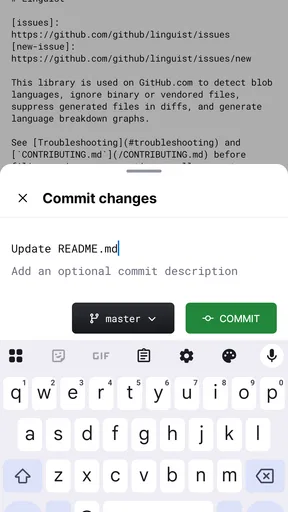
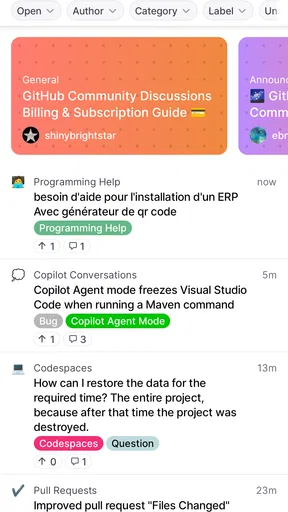
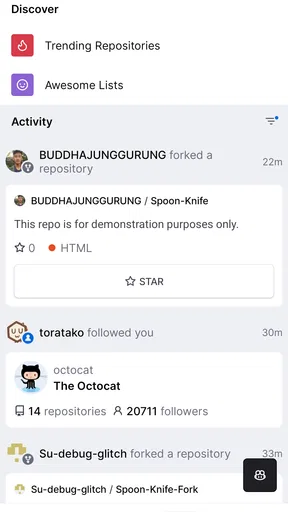
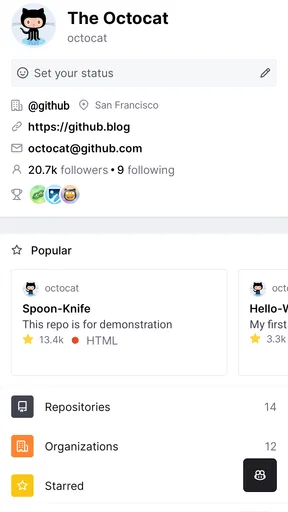
 Analysis by AppCompare
I reach for GitHub on my phone when a project needs attention but I’m away from my computer: a notification needs triaging, a teammate has asked for a review, or I want to leave a useful comment before an issue slips out of mind. The mobile app is best understood as a companion to the full development workflow, not a pocket-sized replacement for a desktop coding setup. Used that way, it can turn small gaps in the day into practical progress without pretending every task is comfortable on a touchscreen.
When a notification turns into useful work
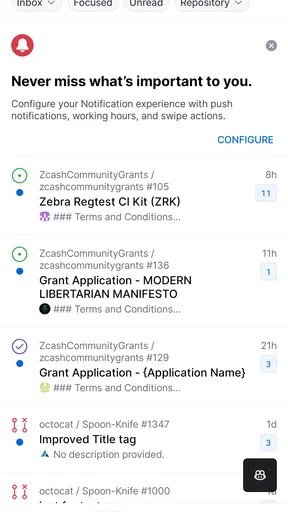
My preferred starting point is to treat alerts as an inbox, not as a stream of demands. I look for the ones that need a decision from me: a review request, a question on an issue, or a discussion where a short clarification will unblock someone else. GitHub, made by GitHub, is a productivity app built around that kind of project coordination. Its mobile strength is letting me respond to work already happening in repositories, rather than asking me to recreate a full workstation on a phone.
That distinction matters if you are deciding whether it belongs in your daily toolkit. A message that only needs a clear answer can be handled quickly; a complicated code change usually deserves a larger screen and a proper editor. I find the app most valuable when I use it to keep decisions moving, then switch devices for work that needs close inspection or extended typing.
From alert to review decision
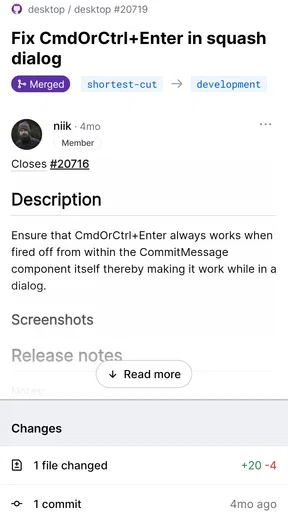
A practical review flow begins with context. Before approving or commenting, I check what the change is meant to accomplish and read the surrounding discussion. On a phone, it is tempting to treat a notification as a task to clear, but a fast reaction is not automatically a useful review. I try to separate “I have seen this” from “I understand the change well enough to make a decision.”
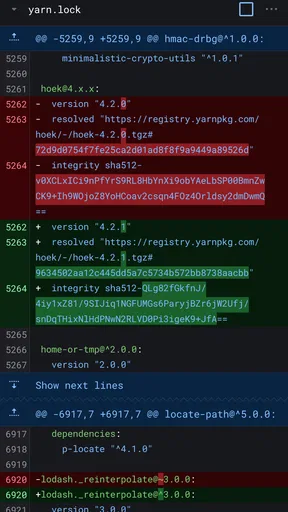
For a small, familiar change, mobile review can be a sensible way to catch an obvious issue, ask a focused question, or confirm that the explanation matches the work. For a wide change or one that depends on running and testing code, I would rather wait until I can use my usual development tools. A phone is good at keeping a conversation moving; it is not a good reason to lower the standard of a review.
Comments are most helpful when they explain what the author should consider next. I aim for one point per comment and include the reason behind it, rather than leaving a vague “please fix.” That habit is useful on any device, but especially on mobile, where composing and revising a long explanation can feel clumsy. If I need several paragraphs to explain a concern, I take that as a sign to move to a keyboard.
Keeping issues and people in sync
Issues give a project a place to hold questions, bug reports, and pieces of planned work. I use them on mobile for quick maintenance: clarifying a report, adding a detail I have just learned, or checking the conversation before handing a task to someone else. The less obvious benefit is continuity. A concise note made while the context is fresh can save a teammate from repeating investigation later.
Worth Reading Before You Choose

Flipboard Shows What News Apps Must Do Beyond the Feed

Switching to Android Auto Means Rethinking Your Driving Routine

Google Calendar Makes a Crowded Week Easier to Manage

Ludo King Makes the Most of the Minutes Between Plans

Baby Panda World Brings Quick Play to Modern Phones, but Its Game Library Feels Busy

ESPN’s Live Game View Makes Following Close Games Easier
There is a trade-off, though. Issue threads can grow into long records, and reading a complex discussion on a small screen takes patience. Before replying, I scan enough of the existing conversation to avoid reopening a settled question. If the issue needs a careful summary, I write one that distinguishes confirmed details from guesses; that makes the next handoff clearer than adding another fragment to an already crowded thread.
What the phone handles—and what it doesn’t
The app works on Android and iOS, and it is free to install. GitHub’s mobile experience is useful for repository conversations and review work, while substantial editing, detailed comparisons, and testing still fit better in a desktop workflow. That division is not a flaw so much as a boundary worth recognizing: the app helps me stay involved, but it does not remove the need for the tools I use to build and verify software.
On Google Play, it has an average rating of 4.8 from around 152,000 ratings, with more than 10 million installs. It is rated Teen, and the current version is 1.261.0. Those details make it a well-established choice for developers who want project activity close at hand, but popularity does not change the basic question: will you use it for short, actionable work, or are you expecting to do all your coding from a phone?
Getting to Know GitHub
So, what's the deal with GitHub? Well, imagine having a workspace where you can store your code, collaborate with others, and even showcase your projects. That's exactly what this app offers. It's a platform that hosts your repositories, and it does so in a way that's really user-friendly.
The app is available on both Android and iOS, making it super convenient to check your code or collaborate with your team on the go. The interface is clean and intuitive, which means you spend less time figuring things out and more time actually working on your projects.
Features That Stand Out
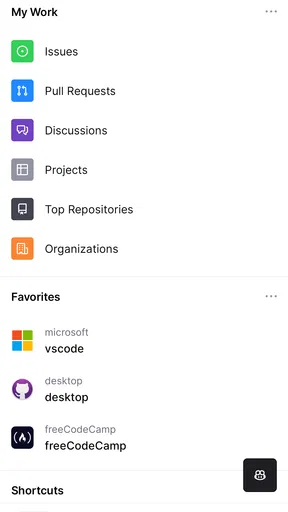
One of the features I absolutely love is the Pull Request system. It allows you to propose changes, review code, and merge changes seamlessly. It's like having a digital brainstorming session where everyone gets to contribute and improve the project.
Another cool feature is the Issues tracker. It helps you keep tabs on what's happening with your project, what needs fixing, and what features are in the pipeline. It's like having a to-do list that keeps everyone on the same page.
The app also supports integrations with other tools, which means you can connect it with your favorite productivity apps or CI/CD pipelines. This makes it a powerhouse for managing projects from start to finish.
Collaboration Made Easy
If you've ever worked on a project with others, you know how tricky it can be to keep everything organized. GitHub makes collaboration feel like a breeze. You can easily invite team members, set permissions, and even integrate with Slack to keep the communication flowing.
The ability to fork repositories and create branches is another highlight. It encourages experimentation and innovation without the fear of breaking the main project. It's a great way to test new ideas and share them with your team.
Security and Reliability
Security is always a top priority, and GitHub ensures that your code is safe. It offers features like Two-Factor Authentication (2FA) and encrypted connections to keep your data secure. You can also set up branch protection rules to prevent unauthorized changes.
On the reliability front, the app is pretty much rock-solid. I've never had issues with downtime, and the updates are regular, ensuring that you always have the latest features at your fingertips.
Choosing the right tool for the job
For me, the key question is not whether this app can replace a laptop, but whether it handles the work that tends to get stranded between laptop sessions. A notification can become a quick acknowledgement, a review comment, or a clearer issue description. A task that involves editing multiple files, comparing details carefully, or running tests belongs in a desktop editor or browser-based development environment instead. Those alternatives offer more room and a better setup for concentrated implementation; the phone app wins when access and response time matter more than depth.
It is also a different kind of tool from a general notes or task app. A personal checklist can capture an idea, but it does not put that note in the repository conversation where collaborators are already working. When an observation is relevant to a pull request or issue, recording it there gives the team context and a visible handoff. For private planning or broad project tracking across unrelated tools, a dedicated task manager may be more comfortable.
A realistic day-to-day handoff
Imagine I am commuting and see a teammate’s review request for a small change in a repository I know well. I read the description and discussion, inspect the part I can assess confidently, and leave a focused question about an unclear edge case rather than approving just to clear the alert. Later, when I am back at my computer, I can examine the change in depth and continue the review with the context already recorded. The mobile interaction has not completed every step; it has prevented the work from going quiet and made the next step more specific.
The same pattern works for issue triage. If someone reports a problem while I am away, I can ask for the missing detail or add a concise reproduction clue if I already know it. I avoid trying to reconstruct a complicated bug from memory on a phone. The useful outcome is a better handoff: the issue is easier for the next person to investigate, while the deeper diagnosis remains with the tools suited to it.
Small habits that make mobile work better
I get more value from the app when I decide what kind of response an alert needs before opening a long thread. If it needs only acknowledgement, I keep it brief. If it needs a decision, I read enough context to make that decision responsibly. If it needs investigation, I leave a note about the next useful step and return to it at a computer. This simple triage keeps notifications from turning into rushed approvals or half-written comments.
Another useful habit is to make comments actionable and self-contained. A teammate may see a notification without having the entire discussion open, so a short explanation of the concern is more helpful than a vague reference to “that part.” On mobile, I also keep an eye on whether I am replying in the right conversation: the convenience of responding quickly is only valuable if the comment lands where it can guide the work.
For someone maintaining a personal project, the app can be a lightweight way to follow incoming feedback and keep a small backlog from going stale. For a team, it is most useful when members already use GitHub as the shared home for code discussions. It is less compelling for someone who rarely reviews changes, has no repository activity to follow, or mainly wants a generic code editor. In those cases, a desktop IDE, a browser, or a task app may fit the actual job better.
Costs, access, and expectations
The app is free, though in-app purchases are listed from $9.99 to $99.99 per item. I would not treat that range as a reason to expect that every mobile workflow requires a purchase; first decide whether the core experience of following and responding to repository activity solves a real problem for you. The key practical question is whether your team’s work already lives in GitHub. If it does, the app can make that work easier to reach; if it does not, installing it alone will not create a useful collaboration process.
It is intended for Teen users, and it requires Android 8.0 or later on Android devices. The current release is version 1.261.0. I would check that an older phone meets the operating-system requirement before planning to rely on it, and I would keep expectations centered on mobile coordination rather than advanced code editing. That distinction helps avoid the common disappointment of expecting a phone interface to behave like a full development workstation.
Where the flow breaks
The main friction is the small screen. Long pull-request discussions, intricate changes, and careful code comparisons demand concentration and space, and tapping through them can be slower than using a browser or desktop client. Typing detailed technical feedback is another weak spot: a short, precise comment is manageable, while a multi-part review can become tiring and easier to misread. When confidence depends on running tests or inspecting a broader project, I defer the decision instead of treating mobile access as a substitute for verification.
There is also a social trade-off in being reachable everywhere. Quick replies can help a teammate move forward, but they can make every alert feel urgent. I recommend using the app to triage and handle genuinely small actions, not to promise instant attention to every repository update. If a project’s notification volume is high, disciplined selection matters more than speed; otherwise, the phone can pull you into threads without giving you the focus to resolve them.
My recommendation
GitHub is a strong companion for developers who want to keep repository conversations moving when they are away from a computer. Its value is clearest in the handoffs: a useful review note, a clarified issue, or a timely response that lets another person continue. It is not the right choice as a standalone coding environment, and people who do not work with GitHub repositories will have little reason to keep it installed. For the rest of us, I see it as a practical way to stay involved—provided we know when a task deserves a keyboard, a bigger screen, and a proper test run.
Pros
- Seamless collaboration with version control.
- Extensive community for support and sharing.
- Free for open-source projects.
- Powerful integration with CI/CD tools.
- User-friendly interface for beginners.
Cons
- Can be overwhelming for new users.
- Limited features on the free plan.
- Occasional downtime affects productivity.
- Complexity in managing large repositories.
- Requires internet for full functionality.
FAQs for GitHub
What is GitHub and how does it work?
GitHub is a platform for version control and collaboration, allowing multiple people to work on projects simultaneously. It uses Git, a version control system, to track changes in source code during software development. Users can create repositories, contribute to projects, and review other users' code. It’s widely used for open-source projects and private repositories alike.
Is GitHub free to use?
GitHub offers free plans that include unlimited public and private repositories with limited features. However, for more advanced collaboration tools and storage, GitHub provides paid plans. Individuals and organizations can choose plans based on their needs, which include access to additional features like automation, CI/CD, and project management tools.
What are the main features of GitHub?
GitHub offers features like repositories for code storage, pull requests for code review, issues for bug tracking, and wikis for documentation. It also provides tools for project management, continuous integration, and deployment. GitHub Actions allow users to automate workflows directly in the repository. These tools enhance collaboration and streamline development processes.
How secure is my code on GitHub?
GitHub implements robust security measures to protect users' code. It offers features like two-factor authentication, encrypted connections, and dependency alerts for vulnerabilities. Users can set repository permissions to control access and use branch protection rules to safeguard the main codebase. Despite these measures, users should regularly review and update their security settings.
Can I collaborate on projects with others on GitHub?
Yes, GitHub is designed for collaboration. It allows users to work together on projects through features like pull requests, which facilitate code review and discussion. Team members can comment on code, suggest changes, and merge branches. GitHub’s project management tools also help teams organize and track progress efficiently.


